
Our online free rgb to hex converter helps you convert RGB color values into accurate HEX color codes within seconds. Paste a rgb color code or Just enter the Red, Green, and Blue values (0–255) and the tool instantly generates the correct HEX color code along with a live color preview. Whether you're a web designer, developer, student, or working with digital graphics—this online converter makes color translation fast, reliable, and effortless.
RGB to HEX Color Converter - 100% Free Online Tool
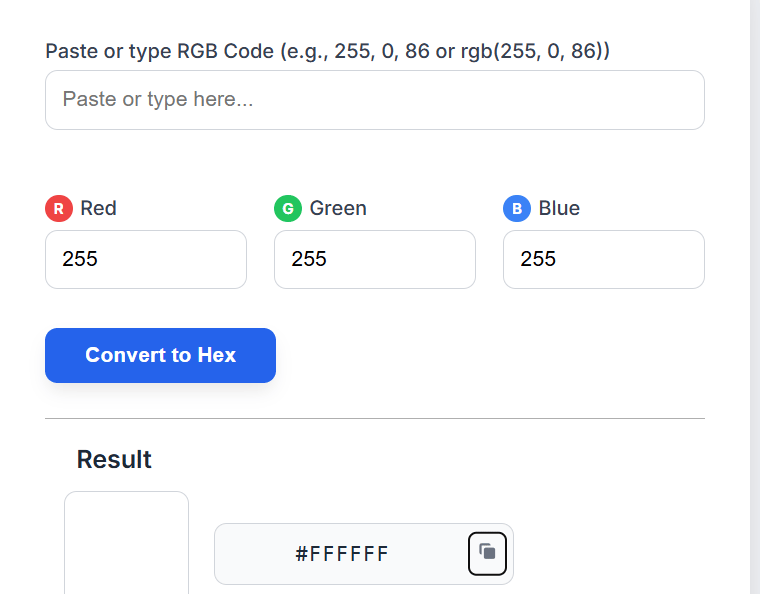
RGB TO HEX Color Conversion
RGB and HEX are two of the most widely used color formats in digital design, web development, and UI systems.
What is RGB to HEX
✔ RGB (Red, Green, Blue)
Uses three values (0–255) to represent digital colors
Commonly used in screens, photo editing, and UI design
✔ HEX (#RRGGBB)
6-digit hexadecimal color format
Used mainly in HTML, CSS, and web design
Example:
RGB(255, 0, 0) → #FF0000
rgb to hex conversion translates numeric RGB values into base-16 hexadecimal format used in CSS and HTML.
Why Use an RGB to HEX Converter
An RGB to HEX converter is essential when:
Your design/app shows colors in RGB, but you need HEX for CSS
You want consistent color matching across all devices and design tools
You need fast, accurate color conversions
You work with branding, UI/UX systems, or front-end development
This tool removes manual errors and provides instant results.
How RGB to HEX Conversion Works:
RGB values are converted to their hexadecimal form and then combined into a 6-digit HEX code.
Formula:
HEX = # + (R to Hex) + (G to Hex) + (B to Hex)
Example
RGB(10, 150, 200)
10 → 0A
150 → 96
200 → C8
Final Result → #0A96C8
The converter performs these steps automatically.
Step-by-Step Guide to Use the RGB to Hex Color Converter
Step 1: Enter RGB values
Red: 0–255
Green: 0–255
Blue: 0–255
Step 2: Click “Convert”
The tool processes the values instantly.
Step 3: Copy the HEX code
Use the one-click copy button to copy the HEX color value.
Step 4: Use it in your project
Use HEX in:
HTML & CSS
UI/UX design
Mobile apps
Web development frameworks
Features of This RGB to HEX Converter
RGB to HEX Color Code Examples
Instant conversion
Live color preview
100% mobile-friendly
Completely free
One-click copy
No login required
Accurate HEX results
Use Cases of RGB to HEX Conversion
✔ Web Design & CSS
Used to style backgrounds, text, borders, buttons, etc.
✔ UI/UX Design Tools (Figma, Adobe XD, Sketch)
Build consistent color palettes and design systems.
✔ Graphic Design (Photoshop, Illustrator)
Convert RGB layers to HEX for web usage.
✔ App Development (Flutter, React Native)
HEX codes help in theme creation and UI styling.
✔ Branding & Visual Identity
Brands require consistent and precise HEX color values.
Frequently Asked Questions (FAQ)
1. What is RGB?
RGB stands for Red, Green, Blue—three values used to represent digital color.
2. What is a HEX color code?
A HEX code is a 6-digit value used in web design, starting with a # symbol (#RRGGBB).
3. Does this tool work on mobile?
Yes, it’s fully mobile-responsive.
4. What RGB range is supported?
Each RGB value must be between 0 and 255.
5. Is this tool free?
Yes—completely free, no registration needed.
6. Does it show live preview?
Yes, you’ll see the exact color instantly.
7. Can I copy the HEX code?
Yes—just click the copy button.
Related Tools:
More Tools
© 2026 ARROWPIX. All rights reserved.